
 AsyaTicari
 AsyaRestoran
 AsyaOtel
 AsyaCrm
 AsyaKlinik
 AsyaSpor
 AsyaSSH
 AsyaEmlak
 AsyaFilo
 AsyaPuantaj
 AsyaİSG
 AsyaİHD
 Kolay Öğren
AsyaRestoran · Kasa, Banka, Pos
POS
Card terminals; POS collections, value date calendar, transfer to the bank with commission and POS transactions.
This screen changed recently. Screenshots will be retaken after the code change of 2026-11-18; the text is current, some images may look outdated.
The POS screen tracks card payments. A card collection first waits on the POS account; when the value date comes it is transferred to your bank account minus the bank's commission. Card collections from sales documents and quick sale also appear here.
Opening the screen
Open Cash, Bank, POS → POS in the side menu. The first POS in the list is selected.
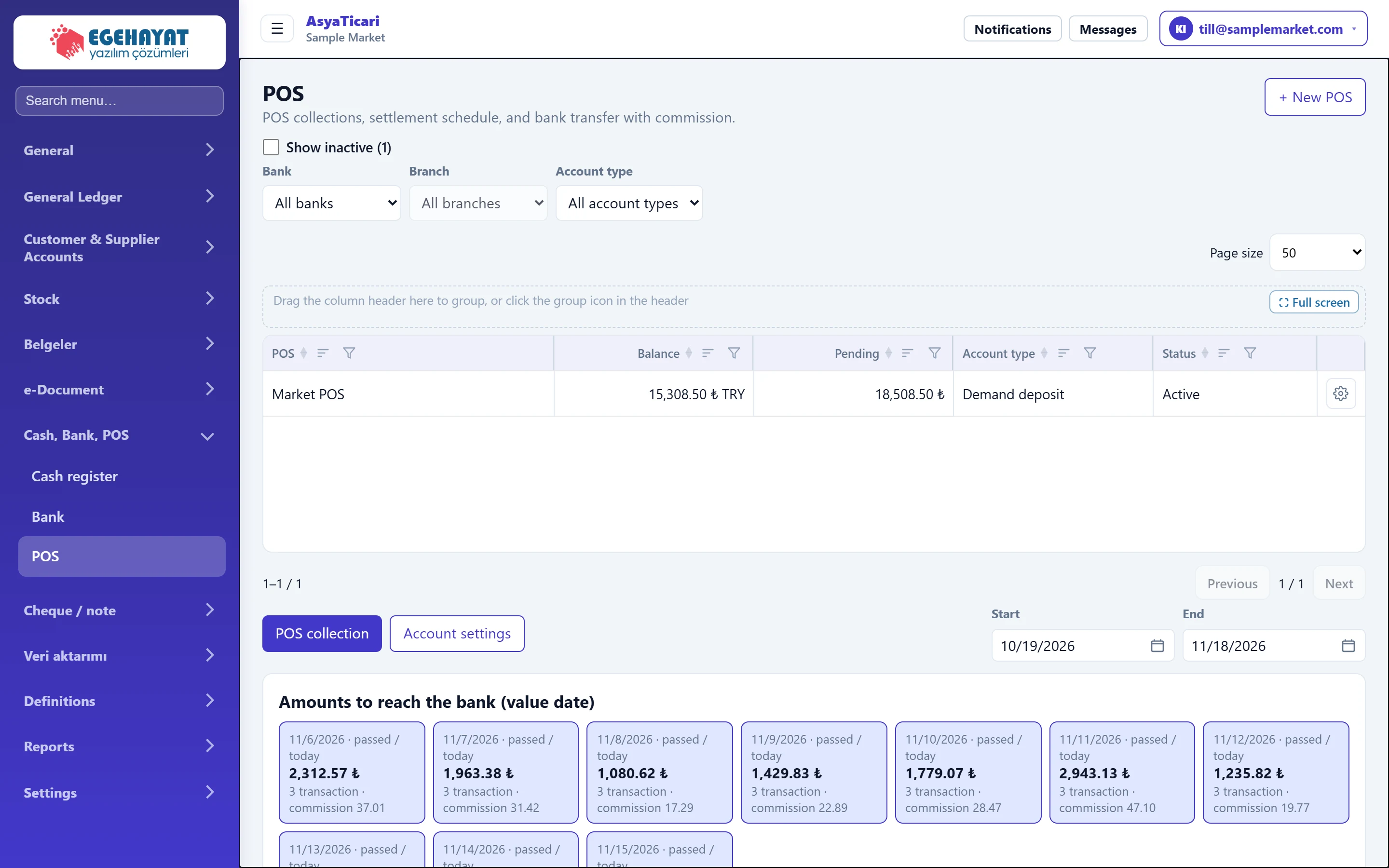
- 1+ New POS Creates a new card terminal / virtual POS.
- 2POS list Card terminals; the Pending column is the amount not yet credited to the bank.
- 3Pending Card receipts whose value date has not come or that were not transferred to the bank.
- 4POS collection Records a card payment.
- 5Value date calendar Amounts reaching the bank by value date, and transfer.
In the list, Balance is the total on the POS account and Pending is the amount not yet transferred to the bank. The Bank, Branch and Account type filters at the top are the same as on the Bank screen.
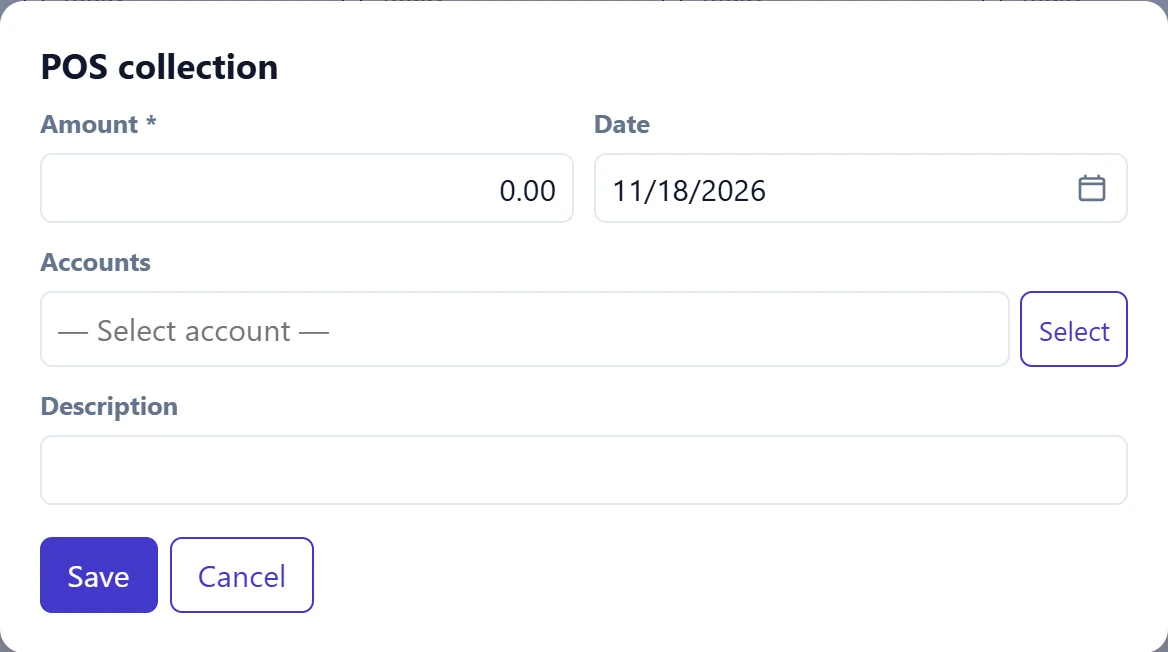
POS collection
| Field | Sign in | Description |
|---|---|---|
| Amount required | Text | Amount charged to the card (before commission). |
| Date | Text | Charge date; the value date is counted from it. Placeholder: «mm/dd/yyyy» |
| Accounts | Text | The paying customer. If selected, the amount reduces the account's debt. Placeholder: «— Select account —» |
| Description | Text | E.g. slip number. |
When an account is selected, an Automatically match with the oldest open invoices box appears; if ticked, the amount is spread over the account's oldest open invoices.
Amounts to reach the bank (value date)
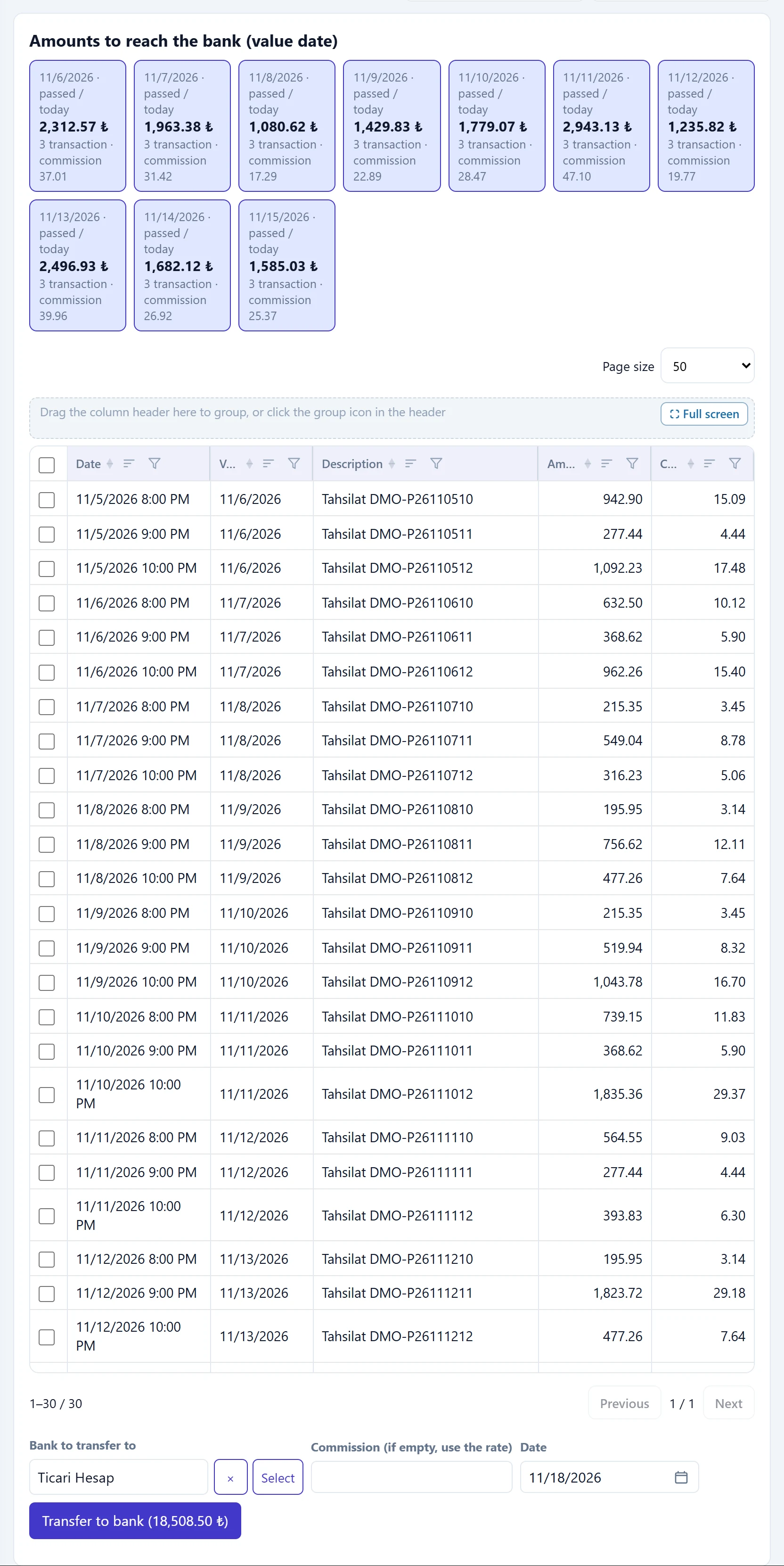
- 1Value day Day box: amount reaching the bank that day, number of transactions and commission.
- 2Pending receipts Pending card receipts; tick the ones to transfer.
- 3Transfer to bank Transfers the selected receipts to the bank, minus commission.
| Field | Sign in | Description |
|---|---|---|
| Bank to transfer to | Text | Bank account receiving the POS amount; defaults to the bank in the POS settings. Placeholder: «— Select —» |
| Commission (if empty, use the rate) | Text | Commission deducted by the bank. If empty, it is calculated from the POS commission rate. |
| Date | Text | Date credited to the bank. Placeholder: «mm/dd/yyyy» |
The day boxes are grouped by value date; past or today's boxes are marked «passed / today». When the screen opens, collections whose value date has come are already selected.
Step by step: transferring a POS amount to the bank
- Select the POS in the list.
- In the Amounts to reach the bank (value date) card, tick the collections to transfer (those due are already ticked).
- Check Bank to transfer to; the bank in the POS settings is the default.
- If you know the commission charged by the bank, enter it in Commission (if empty, use the rate); if empty it is calculated with the POS commission rate.
- Set Date to the day credited to the bank.
- Click Transfer to bank (…). «POS amount transferred to the bank.» appears; the collections show as «Transferred» in the transaction list, the net amount after commission goes to the bank account and the commission is recorded separately as a «POS commission» bank charge.
If the net amount on the bank statement differs from the transferred amount, enter the commission manually with the real figure from the statement.
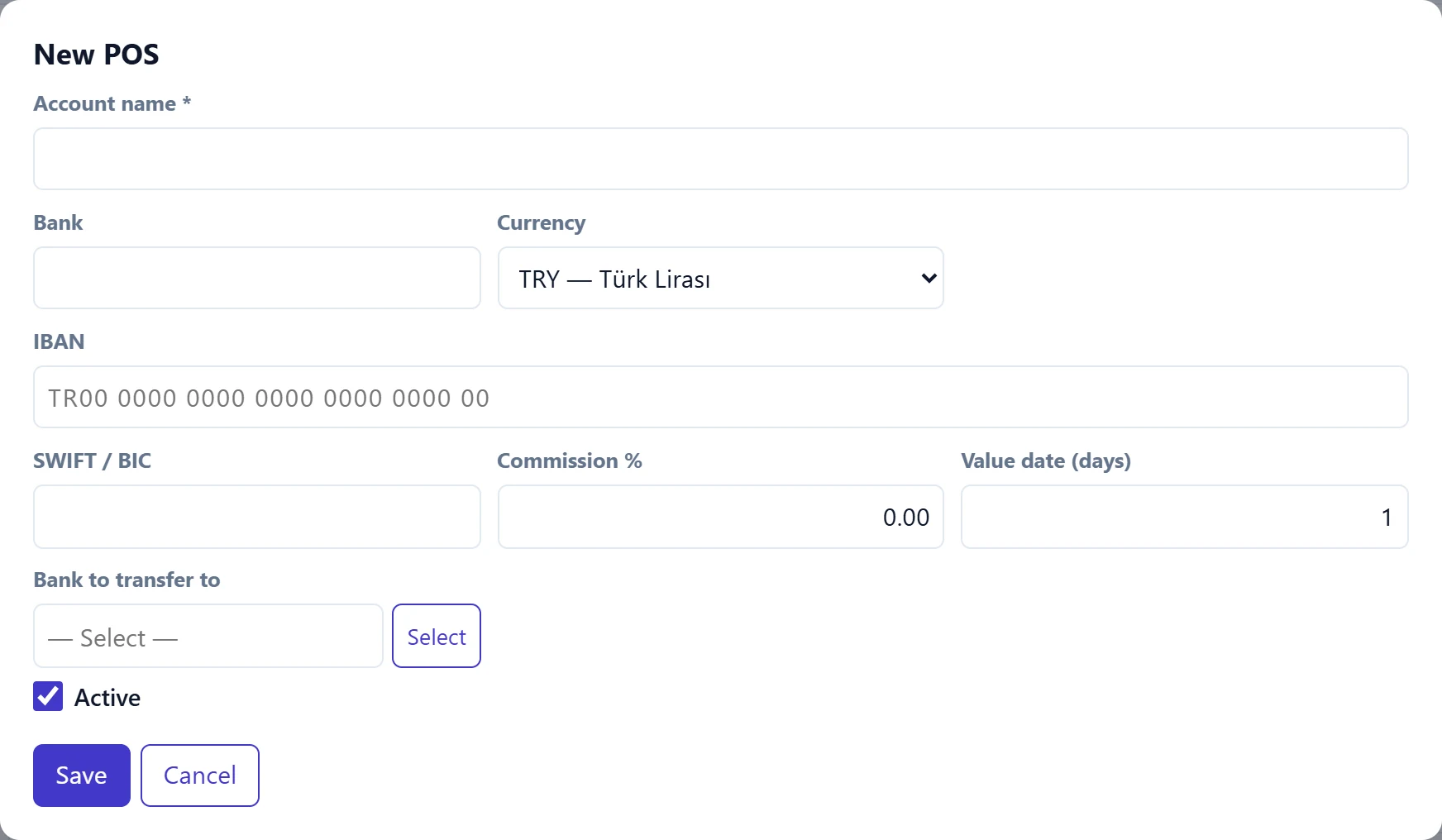
New POS and account settings
| Field | Sign in | Description |
|---|---|---|
| Account name required | Text | POS name (e.g. «Till POS»). Required. |
| Bank | Text | Bank providing the POS (free text). |
| Currency | Choice list | POS currency. Options: EUR — Euro · GBP — İngiliz Sterlini · TRY — Türk Lirası · USD — ABD Doları |
| IBAN | Text | IBAN of the POS account (optional). Placeholder: «TR00 0000 0000 0000 0000 0000 00» |
| SWIFT / BIC | Text | Leave empty if not needed. |
| Commission % | Text | Commission rate charged by the bank; used when the commission is empty on transfer. |
| Value date (days) | Text | Days until receipts reach the bank (0–90). The value date calendar is filled accordingly. |
| Bank to transfer to | Text | Bank account receiving the POS amounts. Placeholder: «— Select —» |
| Active | Checkbox | Unticking makes the POS inactive. |
Common messages
| Message | Cause | Solution |
|---|---|---|
| Amount must be greater than zero. | The amount is empty in a POS collection. | Enter the amount. |
| Select the bank account to transfer to. | No bank chosen for the transfer and none in the POS settings. | Select Bank to transfer to; to make it permanent, set it in the POS Account settings too. |
| Select the POS transactions to transfer. | No collection is ticked. | Tick at least one collection. |
| Commission amount is invalid. | The commission is negative or larger than the transferred amount. | Correct the commission or leave it empty. |
| Account name is required. | The name of the new POS is empty. | Fill in Account name. |