
 AsyaTicari
 AsyaRestoran
 AsyaOtel
 AsyaCrm
 AsyaKlinik
 AsyaSpor
 AsyaSSH
 AsyaEmlak
 AsyaFilo
 AsyaPuantaj
 AsyaİSG
 AsyaİHD
 Kolay Öğren
AsyaCrm · Definitions
Organization parameters
Month / weekday coefficients, guest tiers, menu packages, price and VAT matrices, early payment and the hall conflict rule for pricing organizations (weddings, meetings …).
Organization parameters define how the price of organization activities (hall events such as weddings, engagements or meetings) is calculated. The screen is only in the menu when the Organization feature is enabled. The calculation: the unit price is taken from the menu package and guest tier, multiplied by the coefficients of the event month and weekday, and the early payment discount is deducted for early payment.
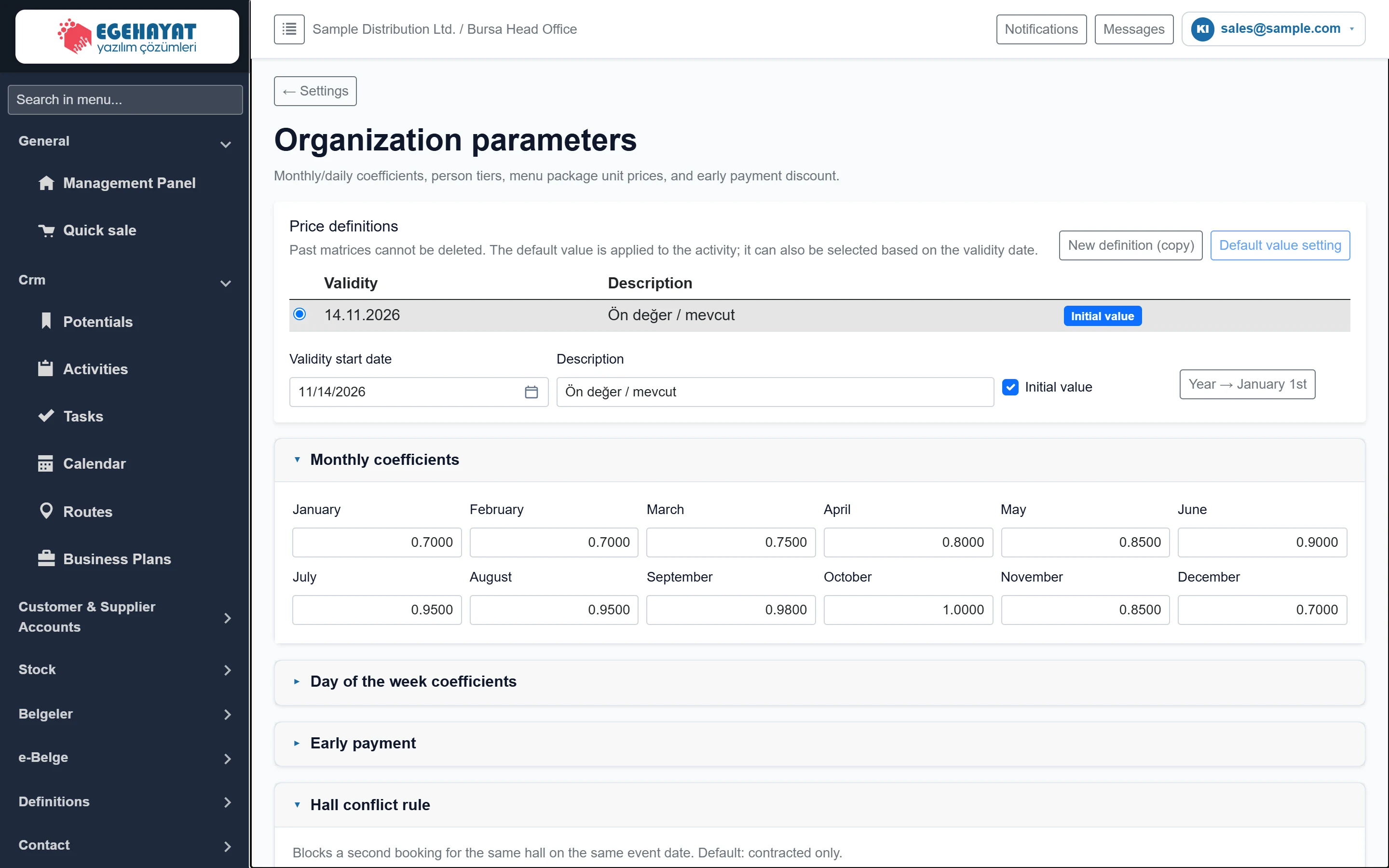
- 1Price definitions Price definitions with validity dates and the default.
- 2Panels Panel headers; click to expand / collapse.
Price definitions
Price definitions are sets with a validity date. Old definitions are never deleted; activities use the default definition and also pick by event date.
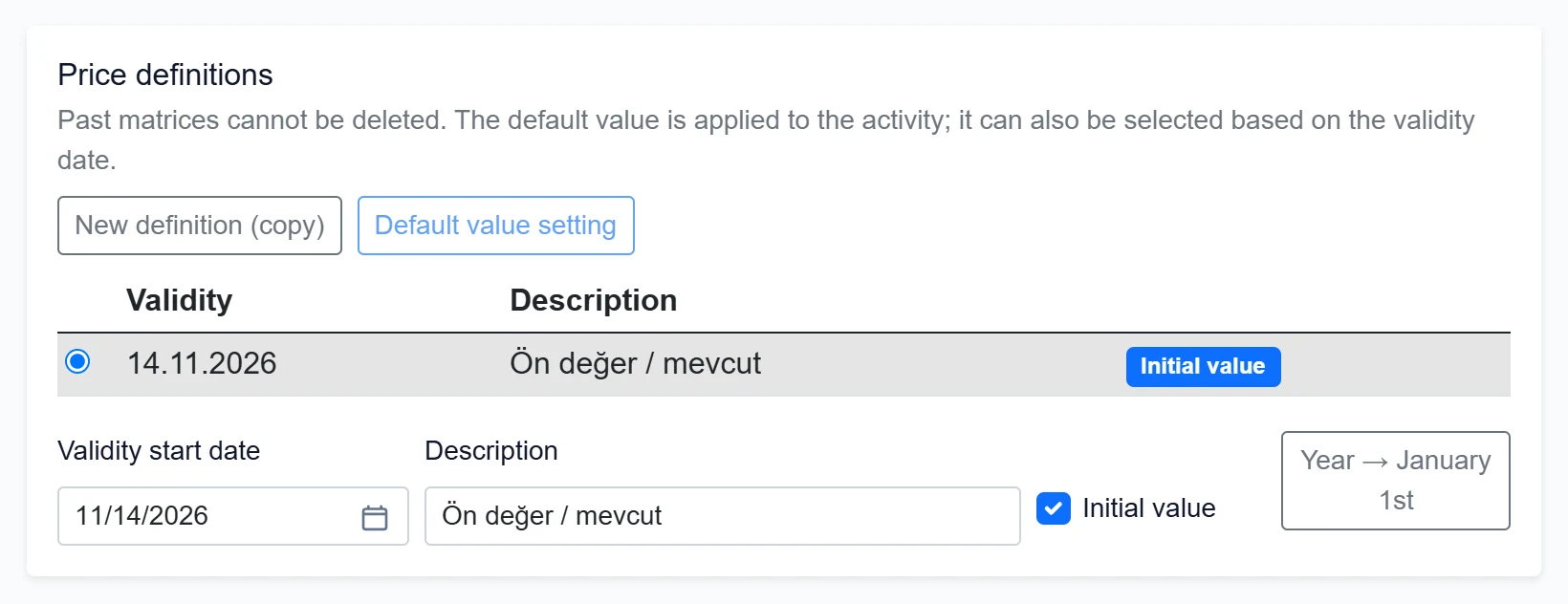
- 1Definition selection Selects the definition to edit; the panels below show its values.
- 2Default The definition used first in activities.
- 3New definition (copy) Creates a new definition as a copy of the selected one.
- 4Default value setting Makes the selected definition the default.
- 5Year → January 1st Sets the validity start to January 1 of this year.
| Field | Sign in | Description |
|---|---|---|
| Validity start date | Text | Event date from which this price definition applies. Placeholder: «mm/dd/yyyy» |
| Description | Text | Short note to tell definitions apart (e.g. “2027 definition”); max. 500 characters. |
| Initial value | Checkbox | If ticked, this definition is applied to new organization activities. |
Monthly coefficients
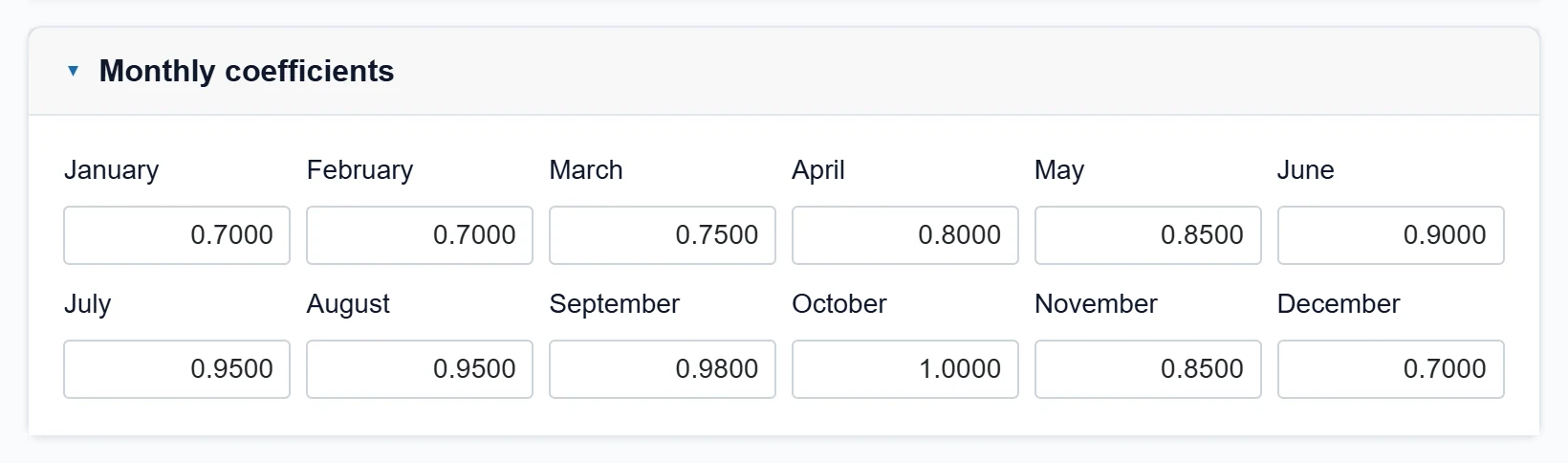
- 1January The list price of January events is multiplied by this factor (1 = unchanged).
- 2October 1.0000 or higher for the busiest months.
Enter a coefficient per month. 1.0000 leaves the price unchanged; 0.7000 lowers it by 30%, 1.1000 raises it by 10%. Up to four decimals.
Day of the week coefficients
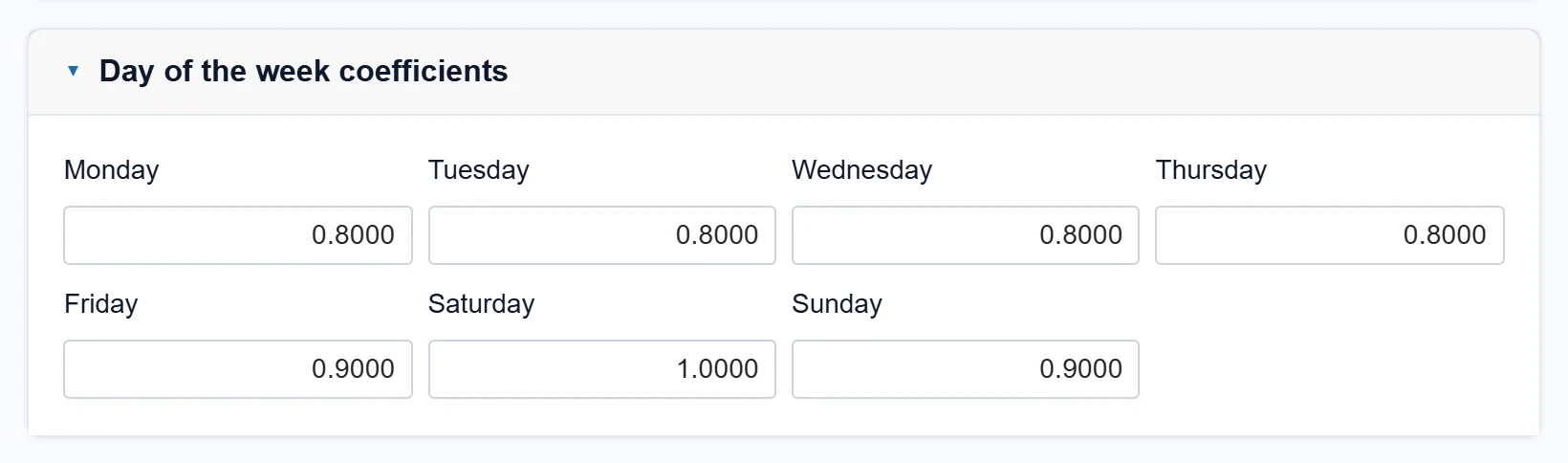
- 1Saturday Price factor for Saturday events.
One coefficient per weekday, applied together with the month coefficient (e.g. Saturday in October = October × Saturday).
Early payment
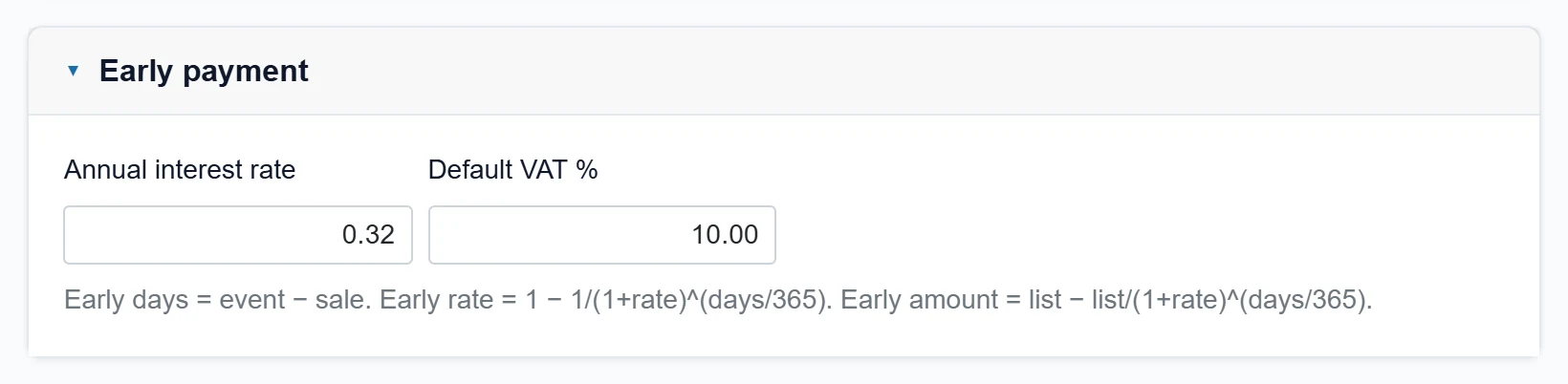
- 1Formula Formula used to calculate the early payment discount.
| Field | Sign in | Description |
|---|---|---|
| Annual interest rate | Text | Annual interest (%) for early payment. The discount depends on the days left until the event. |
| Default VAT % | Text | VAT rate used when no rate is set in the menu package or VAT matrix. |
Early days are the days between sale date and event date. The discount rate is 1 − 1/(1+rate)^(days/365).
Hall conflict rule
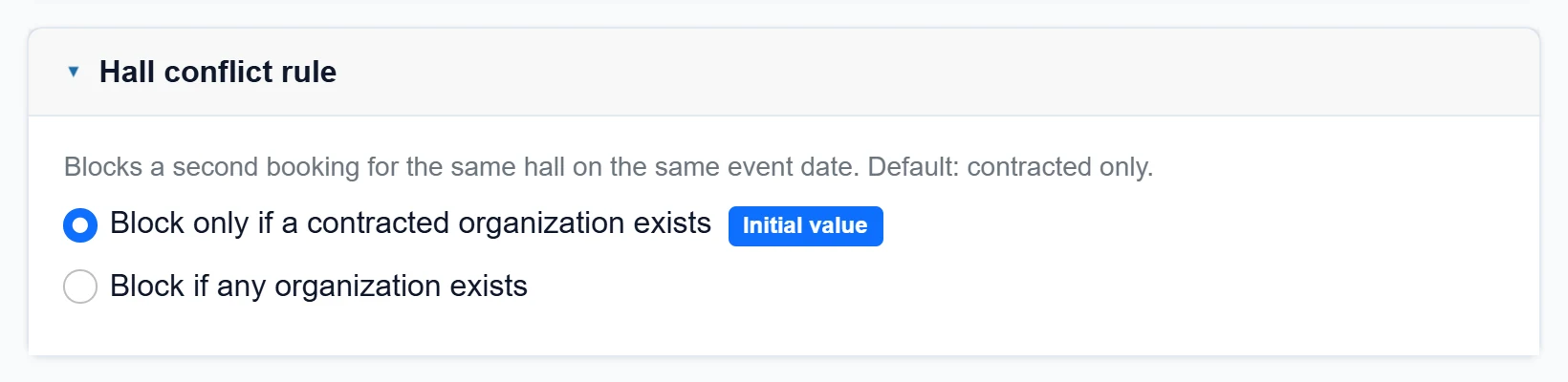
- 1Contracted only A new record is blocked only if a contracted organization exists in the same hall on the same day (default).
- 2Any record A second record is blocked if any organization record exists in the same hall on the same day.
Choose when a second booking for the same hall on the same event date is blocked. The default is “only if a contracted organization exists”.
Person counts
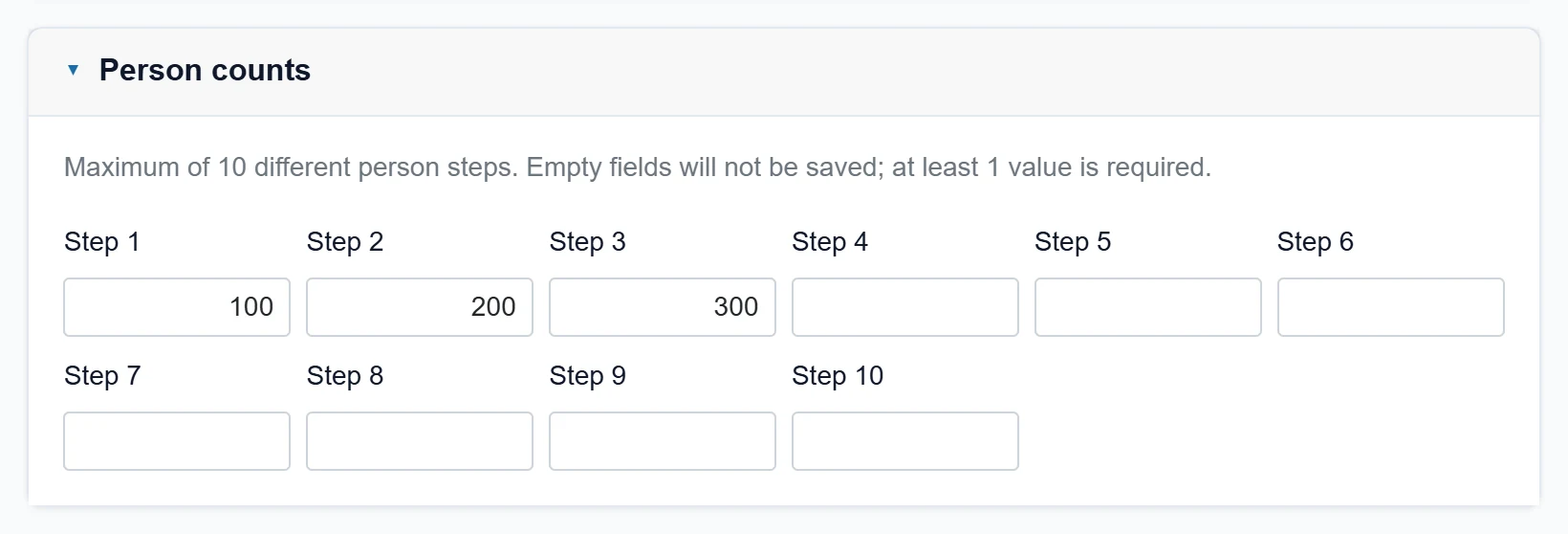
- 1Tier 1 Smallest guest tier (e.g. 100). The price matrix columns are built from these tiers.
Up to 10 guest tiers (e.g. 100, 200, 300). Empty tiers are not saved; at least one is required. The tiers form the columns of the price and VAT matrices.
Menu packages
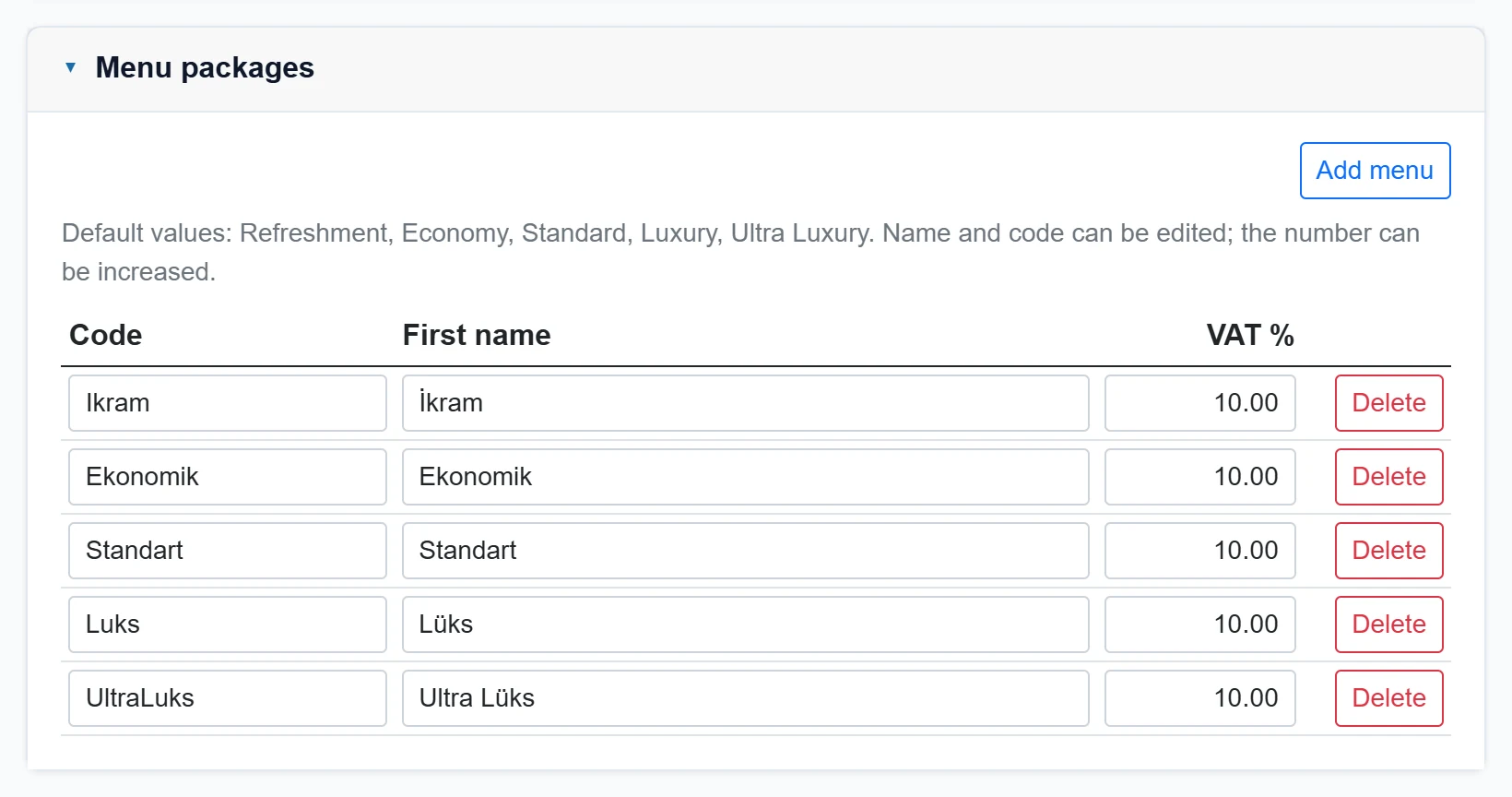
- 1Add menu Adds a new menu package row.
- 2Code Package code; must be unique. When changed, the matrix values move to the new code.
- 3Name Display name of the package.
- 4VAT % Package-specific VAT rate; if empty, the default VAT.
- 5Delete Deletes the package; the last package cannot be deleted.
Default packages are İkram, Ekonomik, Standart, Lüks and Ultra Lüks. Add menu adds a package; code and name can be changed. The last package cannot be deleted.
Unit price matrix (per person)
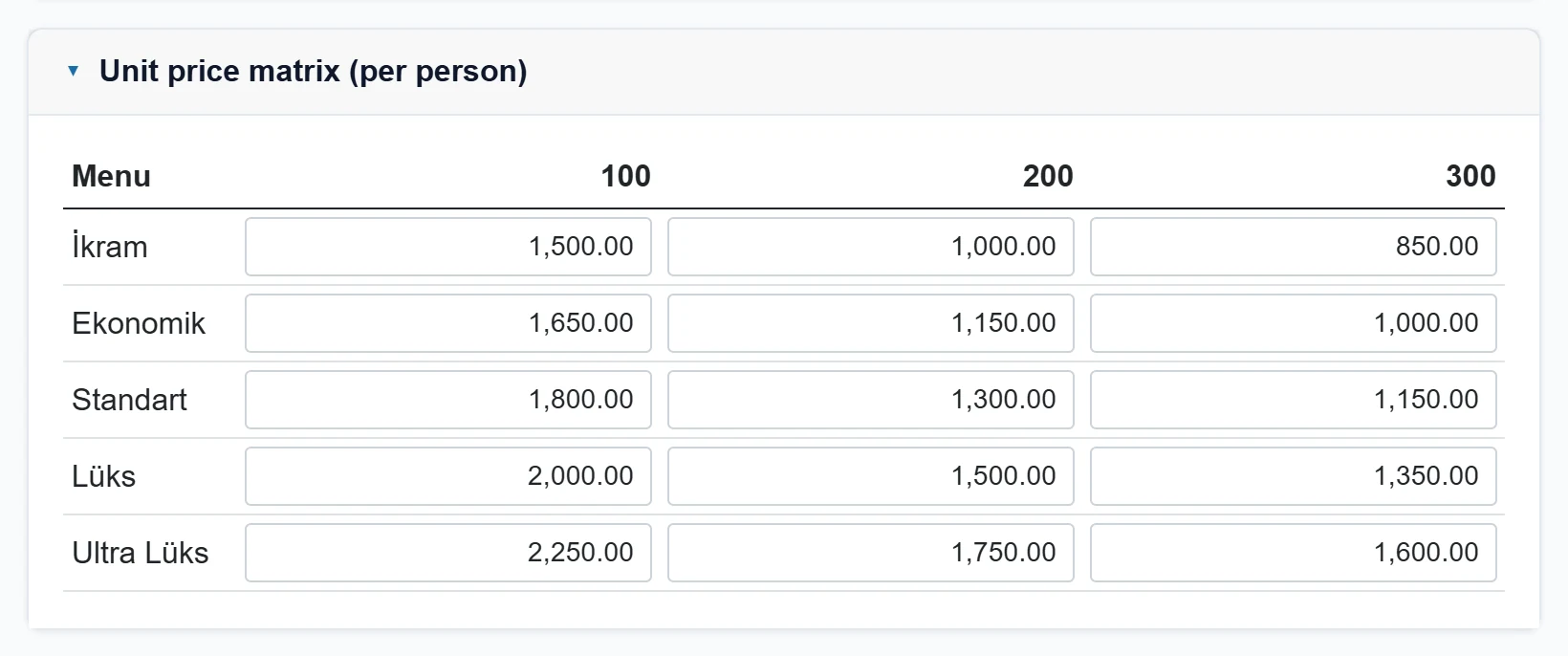
- 1Guest tier Guest tier column.
- 2Menu Menu package row.
- 3Unit price List price per person for this menu and guest tier.
Enter the per-person list price for each menu package (row) and guest tier (column).
VAT matrix (%)
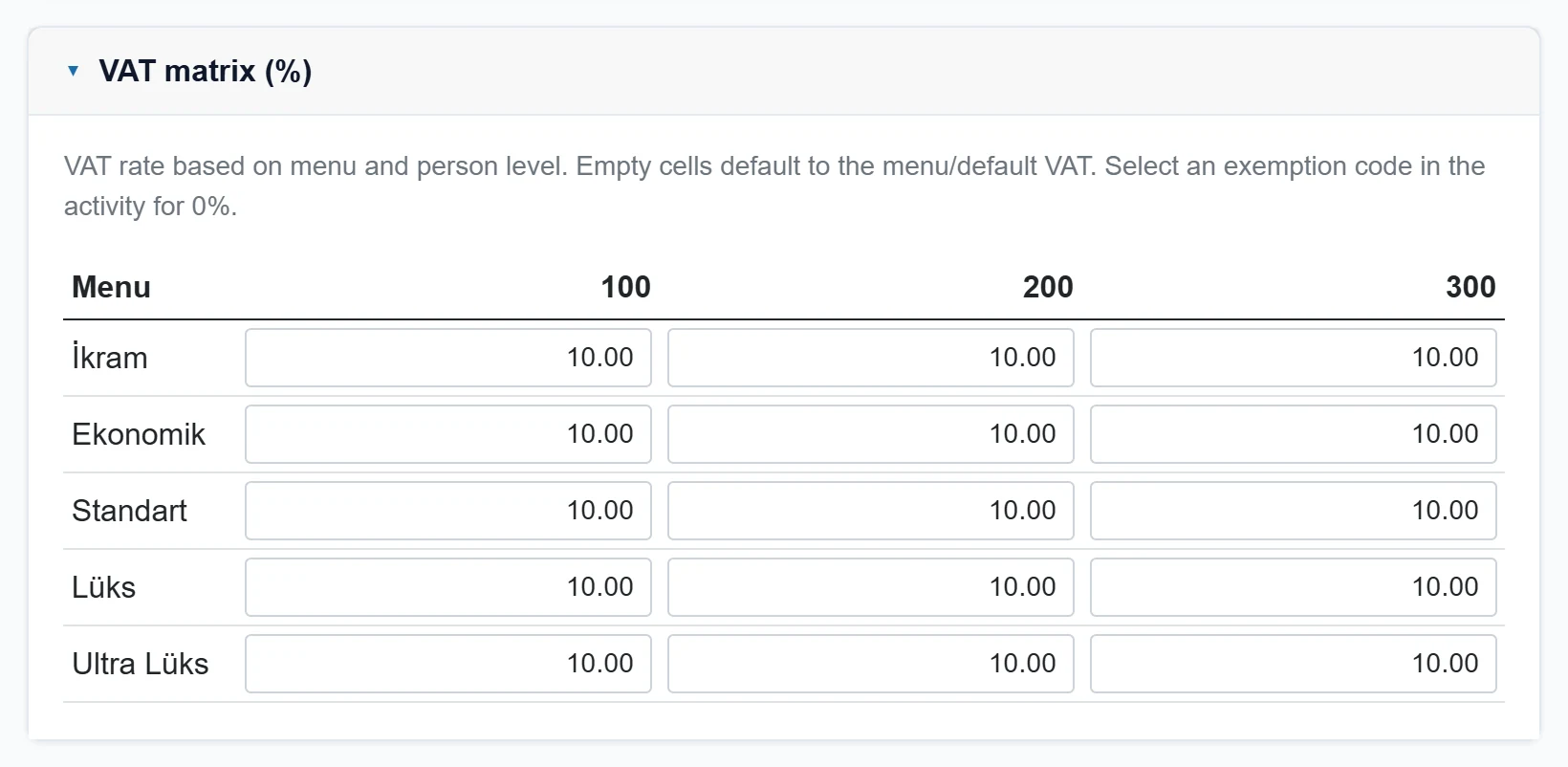
- 1VAT rate VAT rate for this menu and guest tier; if empty, the menu / default VAT.
VAT rate per menu and guest tier. An empty cell falls back to the package rate, then the default VAT. For 0% an exemption code is chosen in the activity.
Changing the parameters: step by step
- Select the definition in Price definitions. For a new period, first create a copy with New definition (copy).
- Set the validity start (Year → January 1st for the start of the year).
- Open the panels and fill in coefficients, tiers, packages and matrices.
- Click Save at the bottom. “Saved.” appears.
- To use the new definition first in activities, click Default value setting.
When prices change mid-year, do not edit the old definition; copy it and give it a new validity date so earlier quotes keep their prices.
Organization records with a contract cannot be changed; parameter changes only affect new calculations.
Common messages
| Message | Cause | Fix |
|---|---|---|
| Organization feature disabled. Enable from the feature matrix. | The Organization feature is not enabled. | Ask the company administrator to enable it. |
| Enter at least one person step. | All guest tiers are empty. | Enter at least one tier. |
| Each menu package must have a filled code. | A menu package has no code. | Enter the code or delete the package. |
| Menu code must be unique. | Two packages share a code. | Change one of the codes. |
| A new price definition has been created. | Copy succeeded (information). | Edit and save the new definition. |