
 AsyaTicari
 AsyaRestoran
 AsyaOtel
 AsyaCrm
 AsyaKlinik
 AsyaSpor
 AsyaSSH
 AsyaEmlak
 AsyaFilo
 AsyaPuantaj
 AsyaİSG
 AsyaİHD
 Kolay Öğren
AsyaTicari · Stock
Warehouses
Defining main warehouse, branch warehouse, vehicle or cabinet; choosing the default warehouse.
On the Warehouses screen you define the places where you keep stock: main warehouse, branch warehouse, vehicle, cabinet… Stock is always kept per warehouse.
Opening the screen
In the side menu click Stock → Warehouses.
ortak · /ticari/depolar
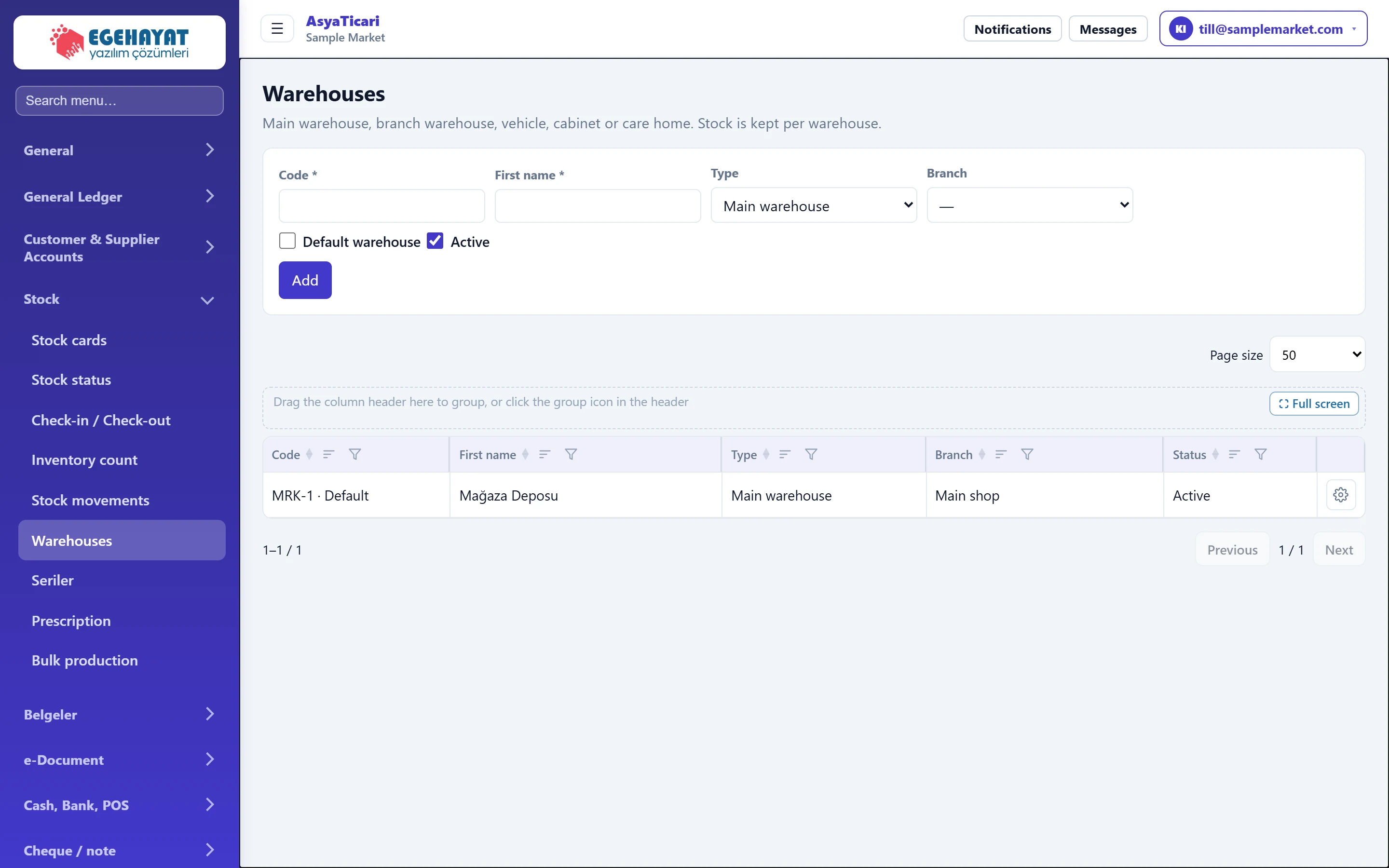
- 1Warehouse form Form for adding / editing a warehouse.
- 2Warehouse The default warehouse is marked next to its code.
- 3Actions Edit or Delete.
Adding a warehouse: step by step
- Enter the Code and Name.
- Choose the Type and the Branch it belongs to.
- Tick Default warehouse if it should be pre-selected on documents.
- Press Add.
Part of the screenWarehouse form
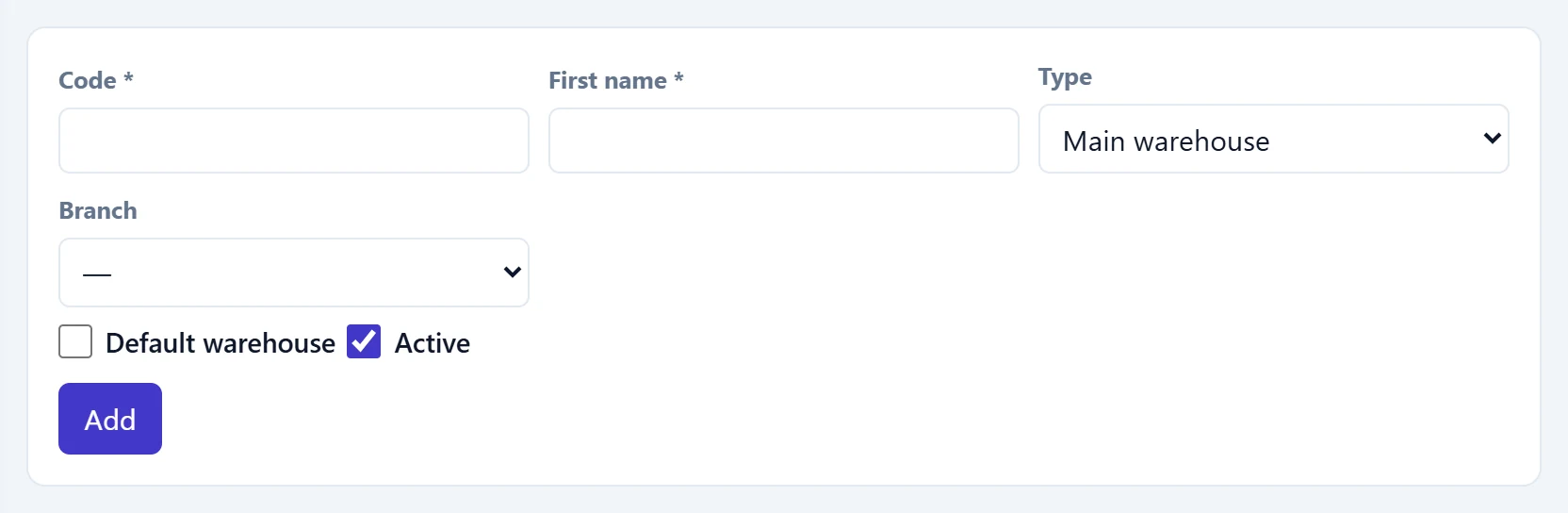
- 1Add Adds the warehouse (saves it when editing).
| Field | Sign in | Description |
|---|---|---|
| Code required | Text | Warehouse code; must be unique in the company. |
| First name required | Text | Warehouse name (e.g. «Shop warehouse»). |
| Type | Choice list | Main warehouse, branch warehouse, vehicle, cabinet… Groups reports. Options: Main warehouse · Branch depot · Vehicle depot · Operating room cabinet · Care home warehouse |
| Branch | Choice list | Workplace the warehouse belongs to. |
| Default warehouse | Checkbox | Warehouse used by default on document and stock screens. |
| Active | Checkbox | Inactive warehouses do not appear in selection lists. |
To change an existing warehouse use the row gear → Edit; the form is filled and Cancel leaves edit mode.
A warehouse that holds stock cannot be deleted. First move the goods to another warehouse with Stock status → Transfer, or make the warehouse inactive by unticking Active.
Common messages
| Message | Cause | Solution |
|---|---|---|
| Code and name are required. | Code or name is empty. | Fill in both fields. |
| This warehouse code is used in another warehouse. | A warehouse with the same code exists. | Enter a different code. |
| There is stock in the warehouse; transfer it first. | The warehouse to delete still holds stock. | Transfer the stock or make the warehouse inactive. |