
 AsyaTicari
 AsyaRestoran
 AsyaOtel
 AsyaCrm
 AsyaKlinik
 AsyaSpor
 AsyaSSH
 AsyaEmlak
 AsyaFilo
 AsyaPuantaj
 AsyaİSG
 AsyaİHD
 Kolay Öğren
AsyaOtel · Hotel management
Channel availability
Previewing the rooms sent to the channel; allotment, stop-sale and min / max night rules.
Rooms sent to a channel = total rooms − occupied − out of order − blocked, limited by the channel allotment. Channel Availability previews this number and sets channel rules.
asyaotel · /kanal/musaitlik
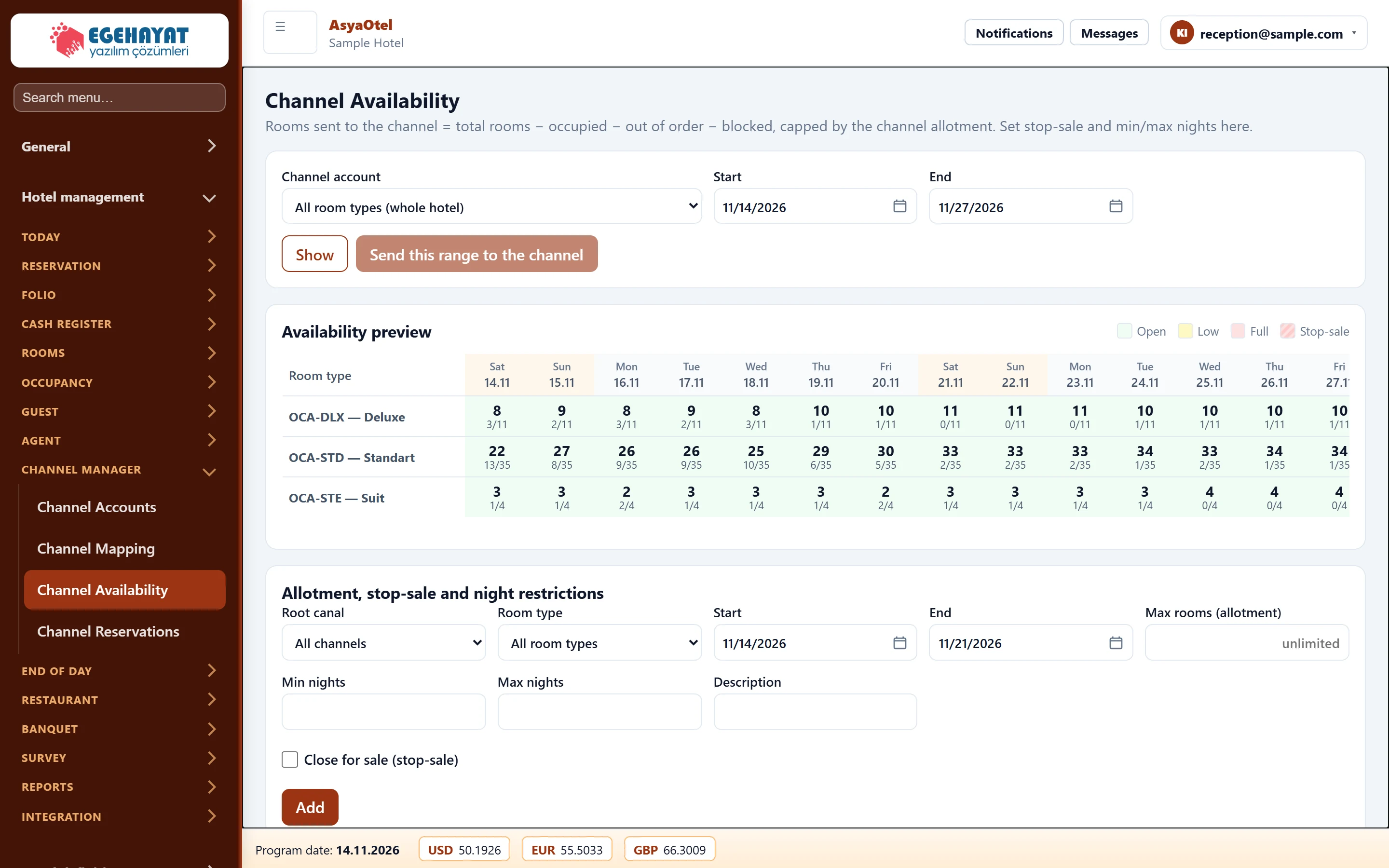
- 1Filter Account, room type and date range; Show / send to channel.
- 2Preview Daily preview of sellable rooms (open / few / full / stop-sale).
- 3Rules Channel allotment, stop-sale and min / max night rule.
Preview and sending
Choose channel account, room type and date range and press Show. Days are coloured open / few / full / stop-sale. Send this range to the channel sends the range immediately.
Allotment, stop-sale and night restrictions
Part of the screenAllotment and stop-sale rule
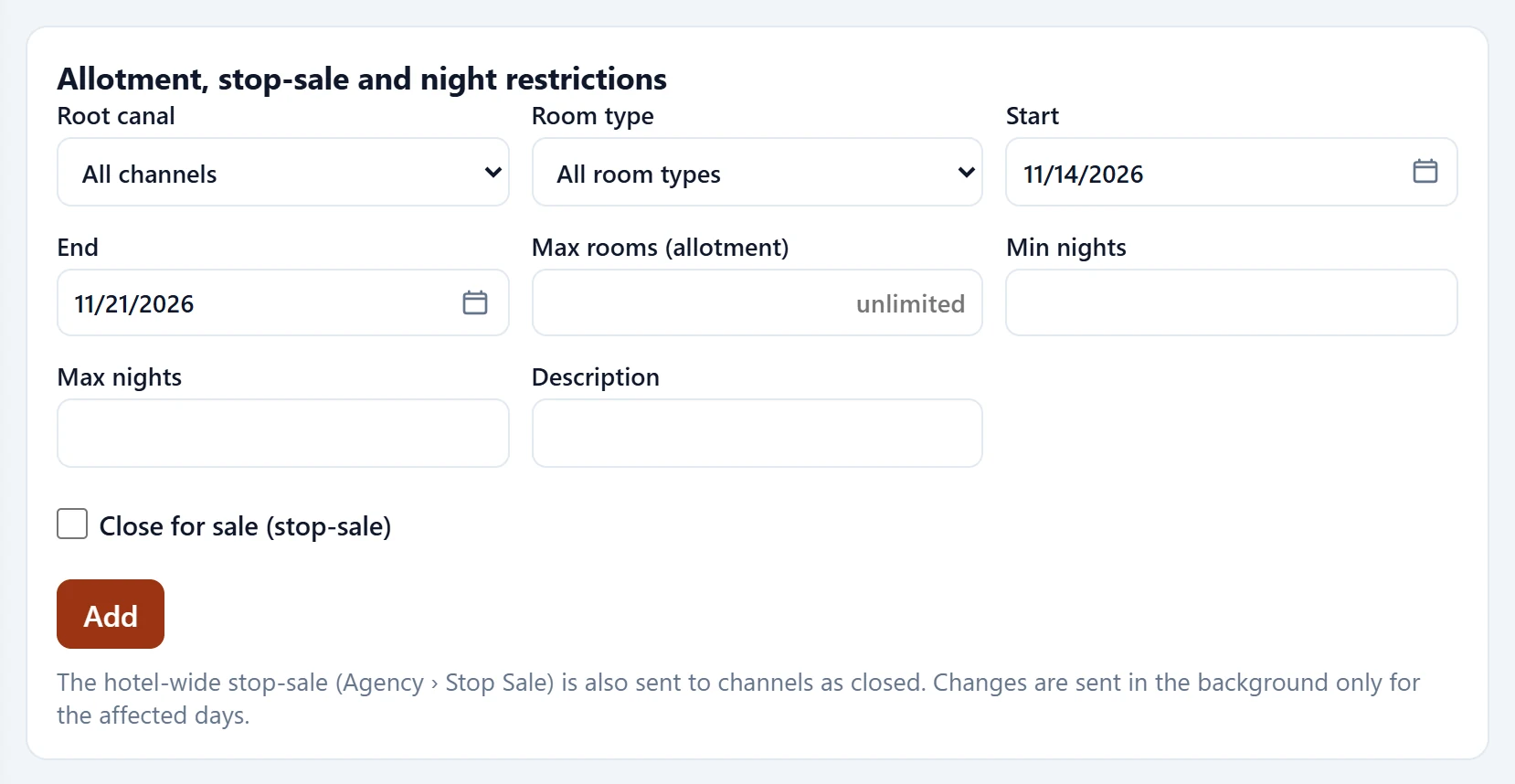
| Field | Sign in | Description |
|---|---|---|
| Root canal | Choice list | Channel for the rule, or all channels. |
| Room type | Choice list | Room type (Hotel definitions → Room type). Options: All room types · OCA-DLX — Deluxe · OCA-STD — Standart · OCA-STE — Suit |
| Start | Text | First day of the range. Placeholder: «mm/dd/yyyy» |
| End | Text | Last day of the range. Placeholder: «mm/dd/yyyy» |
| Max rooms (allotment) | Text | Maximum rooms sent to the channel; empty = unlimited. Placeholder: «unlimited» |
| Min nights | Text | Minimum length of stay. |
| Max nights | Text | Maximum length of stay. |
| Description | Text | Free-text description. |
| Close for sale (stop-sale) | Checkbox | Closes channel sales for the range. |
The hotel-wide stop sale (Agent › Stop Sale) is also sent to the channels as closed. Changes are sent in the background for the affected days only.