
 AsyaTicari
 AsyaRestoran
 AsyaOtel
 AsyaCrm
 AsyaKlinik
 AsyaSpor
 AsyaSSH
 AsyaEmlak
 AsyaFilo
 AsyaPuantaj
 AsyaİSG
 AsyaİHD
 Kolay Öğren
 · General
My students
Student records of teachers and parents: adding, editing, enrolling / moving between classes, deleting.
My students appears only in the menu of teacher and parent accounts; they land on this screen after signing in. The admin account does not have this menu.
kolay öğren · /Account/Login
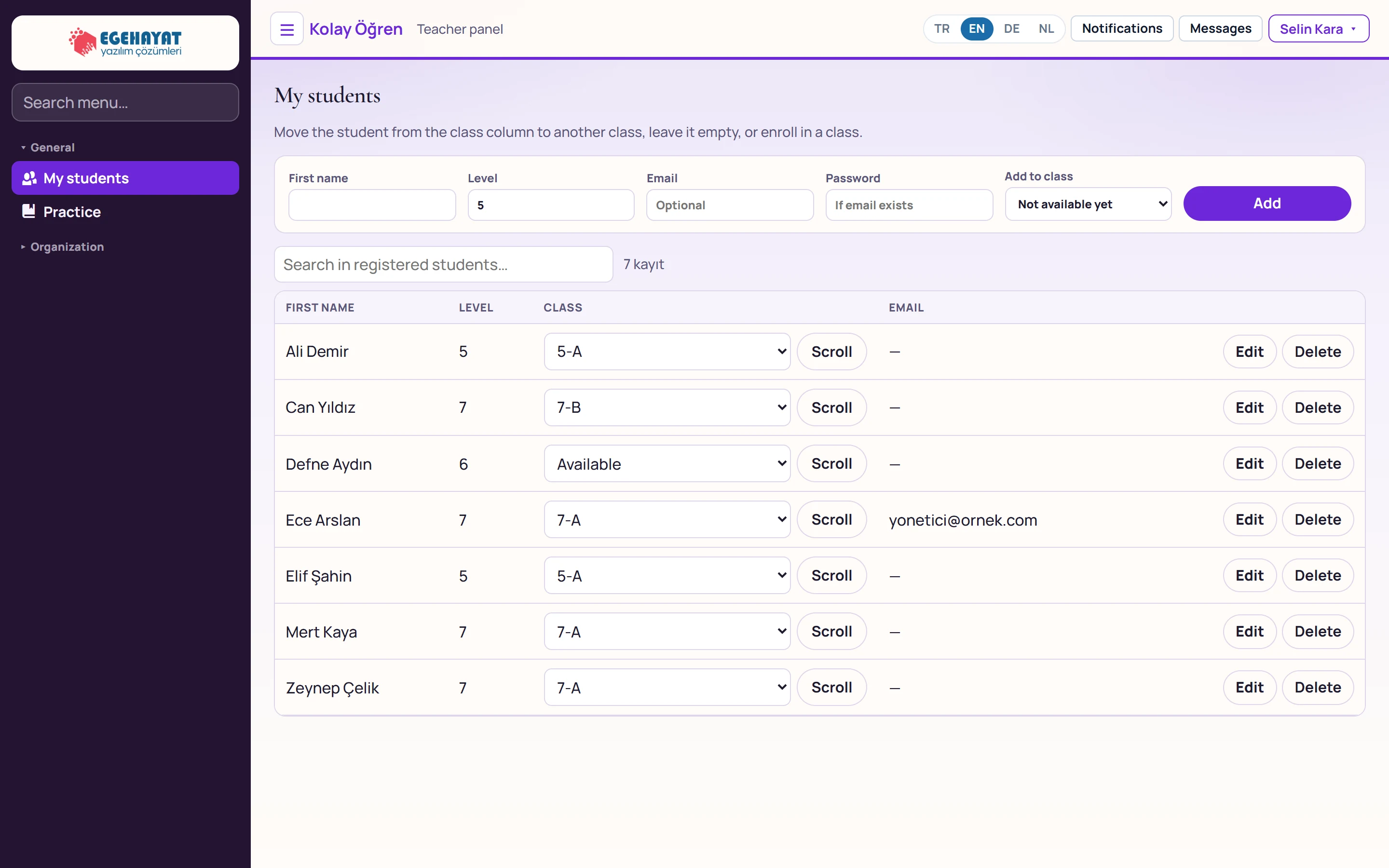
- 1New student Adds a student with name, level and optional sign-in details.
- 2Search in registered students… Searches registered students.
- 3Students Name, level, class and email.
- 4Class Moves the student to another class or leaves them unassigned.
- 5Edit Edits the student.
- 6Delete Deletes the student together with class enrolments and practice history.
Adding a student
Part of the screen
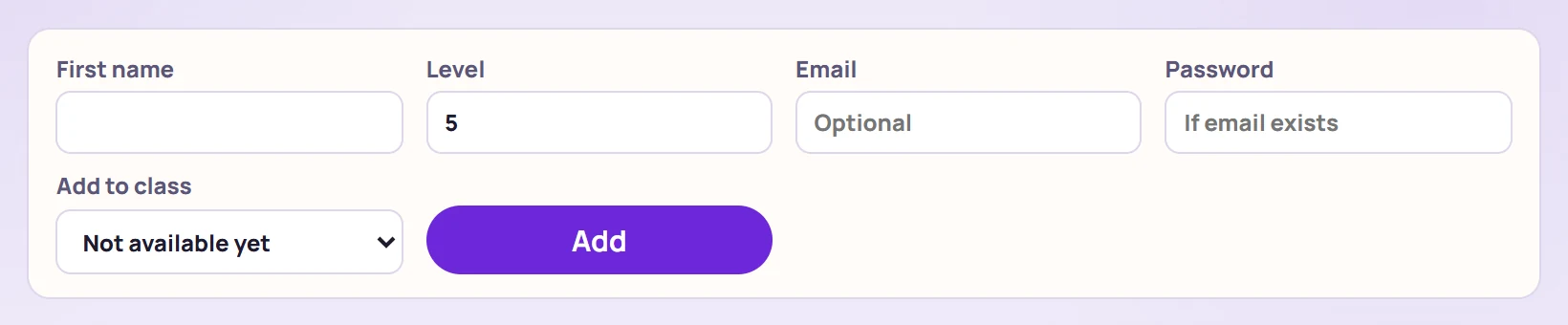
| Field | Sign in | Description |
|---|---|---|
| First name | Text | Student name (required). |
| Level | Number | Grade level (3–12); practice lists texts of this level. |
| Optional; if entered, the student can sign in with their own account. Placeholder: «Optional» | ||
| Password | Text | The student's sign-in password if an email is entered. Placeholder: «If email exists» |
| Add to class | Choice list | Enrols the student in a class right away; «— None for now —» leaves them unassigned. Options: Not available yet · 5-A · 7-A · 7-B |
If email and password are entered, the student can sign in with their own account (web or Android); otherwise practices are done by choosing the student in the teacher / parent sign-in. The Add to class list is shown only to teachers.
List
- In the Class column choose another class and press Scroll (move); choosing «Available» (unassigned) removes the student from the class. Only teachers can change class enrolment.
- Edit switches the row to edit mode; Save / Cancel.
- Delete removes the student after confirmation.
Deleting a student also deletes class enrolments, parent links and practice history; this cannot be undone.
Teacher's practice screen
Part of the screen

| Field | Sign in | Description |
|---|---|---|
| Student | Choice list | The student doing the practice; list and session history follow this student. Options: Ali Demir · 5 level · Can Yıldız · 7 level · Defne Aydın · 6 level · Ece Arslan · 7 level · Elif Şahin · 5 level · Mert Kaya · 7 level · Zeynep Çelik · 7 level |
| Lesson | Choice list | Filters texts by this lesson; «All» shows everything. Options: All · Coğrafya · Fen · Hızlı Okuma · Matematik · Sosyal · Tarih · Türkçe |
Common messages
| Message | Cause | Solution |
|---|---|---|
| Student registration could not be completed. | Name empty or email used by another account. | Check the details and retry. |
| Student and name are required for the update. | Name left empty when editing. | Enter the name and save. |
| Only the teacher can change class enrolment. | Scroll was used with a parent account. | Ask the teacher to change the class. |
| Student could not be added to / removed from the class, or deleted. | The API rejected the action. | Refresh the page and retry. |