
 AsyaTicari
 AsyaRestoran
 AsyaOtel
 AsyaCrm
 AsyaKlinik
 AsyaSpor
 AsyaSSH
 AsyaEmlak
 AsyaFilo
 AsyaPuantaj
 AsyaİSG
 AsyaİHD
 Kolay Öğren
AsyaKlinik · Specialty screens
Cardiology
Recording and listing vital signs, ECG summary and risk note for the patient.
On the Cardiology screen you record the patient's blood pressure, pulse, oxygen saturation, ECG summary and risk note. The screen is in the menu of companies with the Cardiology branch.
asyaklinik · /login
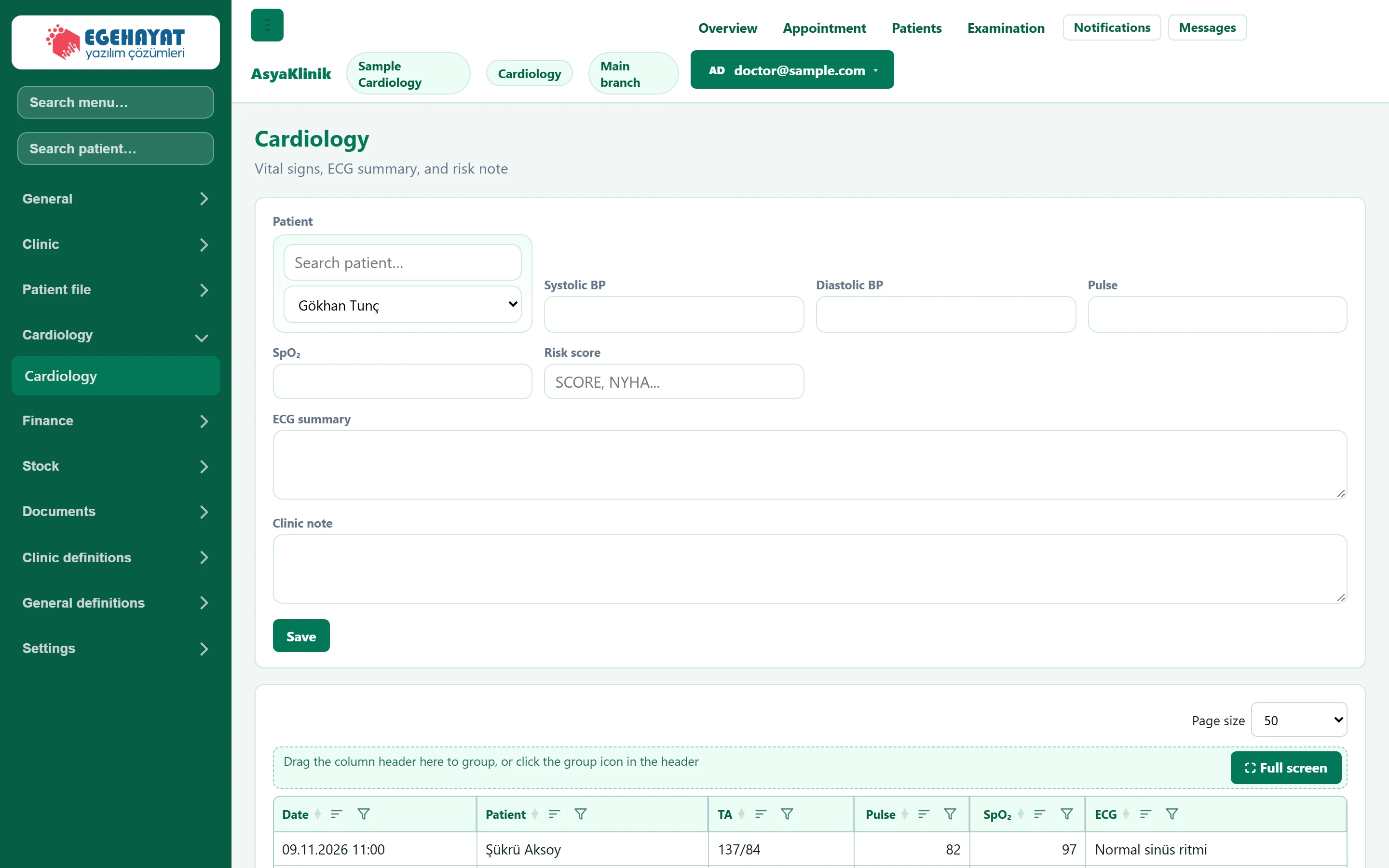
- 1Patient Patient the record is written to.
- 2Save Adds the record; it appears in the list below.
- 3Record list Patients' cardiology records: date, BP, pulse, SpO₂ and ECG.
Record form
Part of the screenCardiology — record form
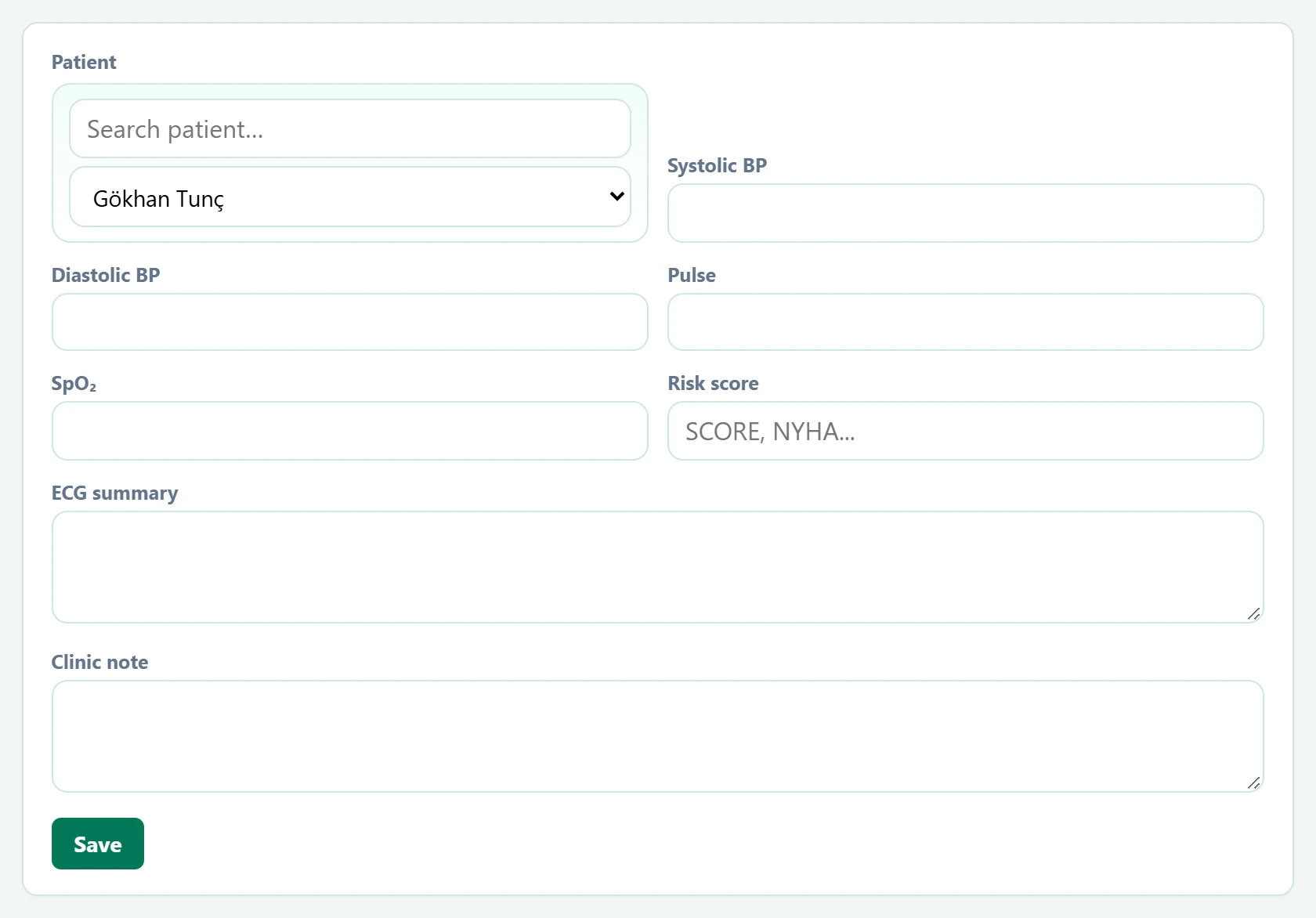
| Field | Sign in | Description |
|---|---|---|
| Patient | Search | Type a name in the top box to narrow the list, then choose the patient below. Placeholder: «Search patient…» |
| Systolic BP | Text | Systolic blood pressure (mmHg). |
| Diastolic BP | Text | Diastolic blood pressure (mmHg). |
| Pulse | Text | Heart beats per minute. |
| SpO₂ | Text | Oxygen saturation (%). |
| Risk score | Text | Risk class such as SCORE or NYHA, or a note. Placeholder: «SCORE, NYHA...» |
| ECG summary | Long text | Summary of ECG findings. |
| Clinic note | Long text | Other clinical assessment. |
Record list
Part of the screenCardiology — record list
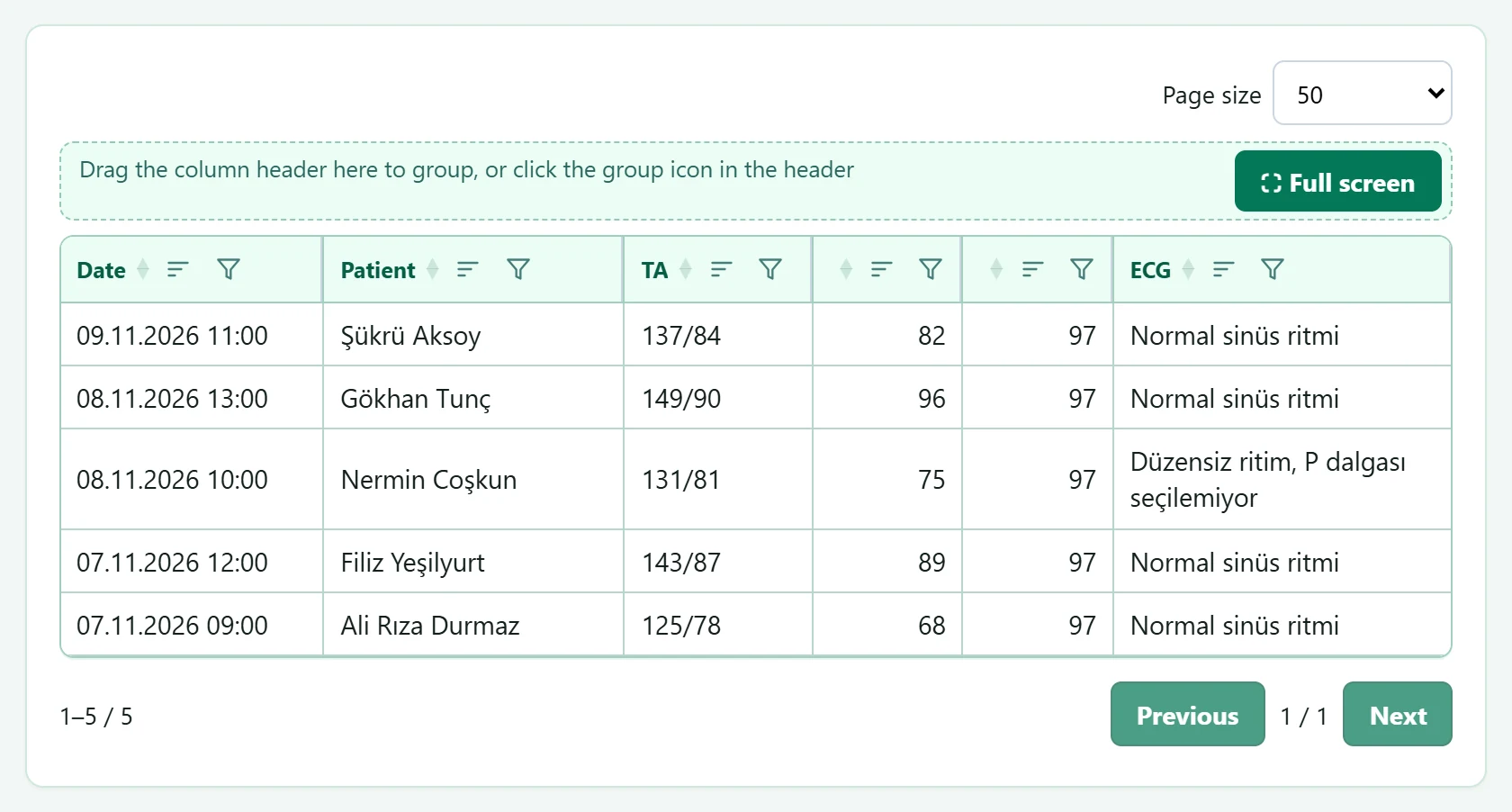
- 1Grid tools Page size, grouping and full screen.
Click a column header to sort; drag a header to the grouping area to group.
Common messages
| Message | Cause | Solution |
|---|---|---|
| Select a patient. | Saving without a patient. | Select the patient. |
| Cardiology record added. | The record was added. | Information only. |