
 AsyaTicari
 AsyaRestoran
 AsyaOtel
 AsyaCrm
 AsyaKlinik
 AsyaSpor
 AsyaSSH
 AsyaEmlak
 AsyaFilo
 AsyaPuantaj
 AsyaİSG
 AsyaİHD
 Kolay Öğren
AsyaFilo · Operation
Warnings
Telemetry alerts (speeding, idling, temperature …): list, open / all filter and closing.
The Warnings screen lists telemetry alerts created from the data of the vehicle devices: speeding, long idling, reefer temperature, harsh braking, leaving a zone and so on. When you have dealt with an alert, close it with Close.
asyafilo · /alerts
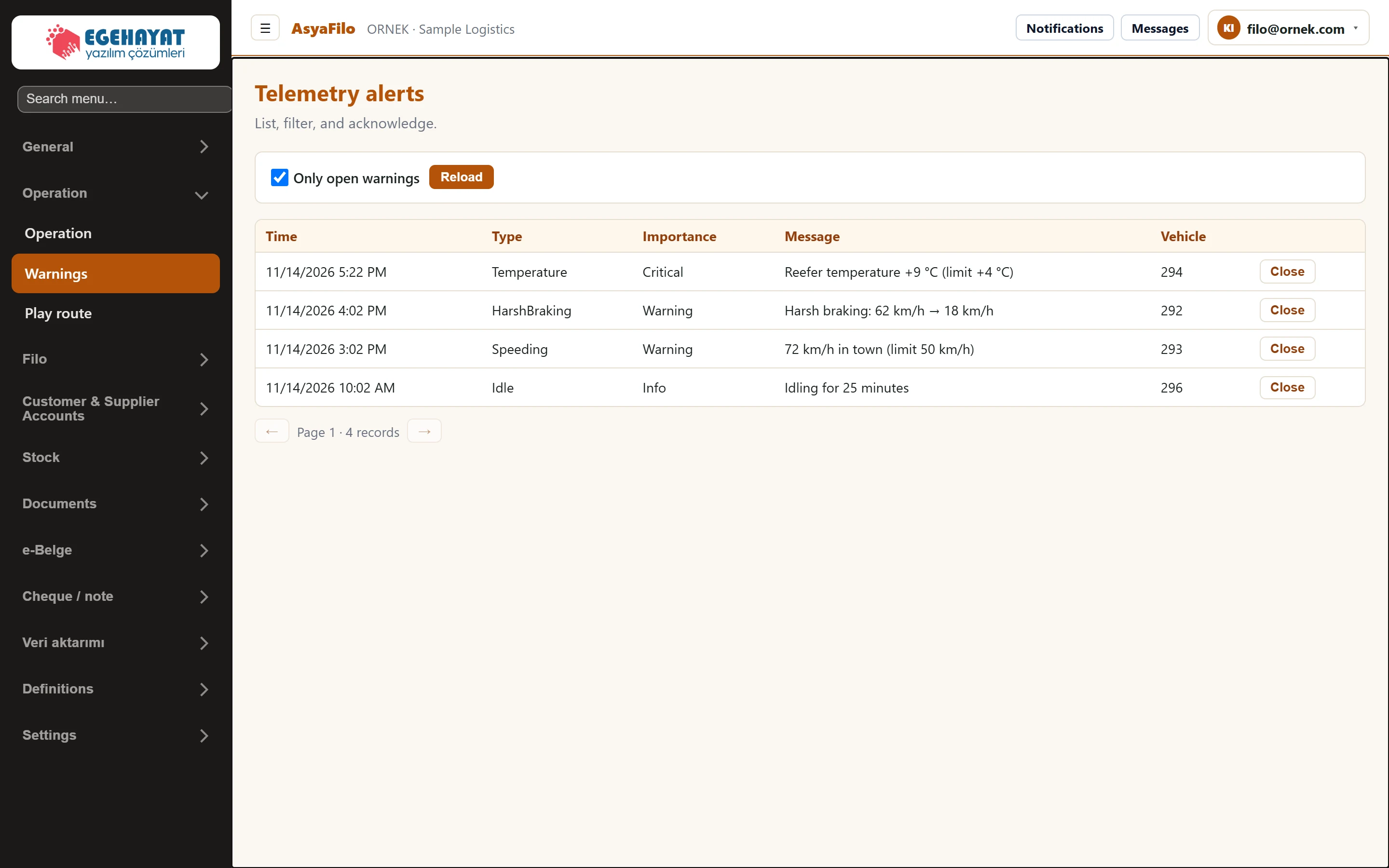
- 1Only open warnings When ticked, only alerts that are not closed are listed.
- 2Reload Reloads the list with the new filter.
- 3Temperature Alert type (e.g. Speeding).
- 4Critical Severity: Critical, Warning or Info.
- 5294 The vehicle's system number (ID).
- 6Close Records that you have seen the alert and closes it.
- 7← 25 alerts per page.
List
- Time: local time of the event. The newest alert is at the top.
- Type and Importance: codes as sent by the provider (e.g. Speeding, Idle; Critical, Warning, Info).
- Vehicle: the vehicle's system number (ID).
- 25 alerts per page; use the arrows to change page.
Showing closed alerts
Untick Only open warnings and press Reload. Closed alerts are dimmed and show «Closed».
Part of the screenClosed alerts included
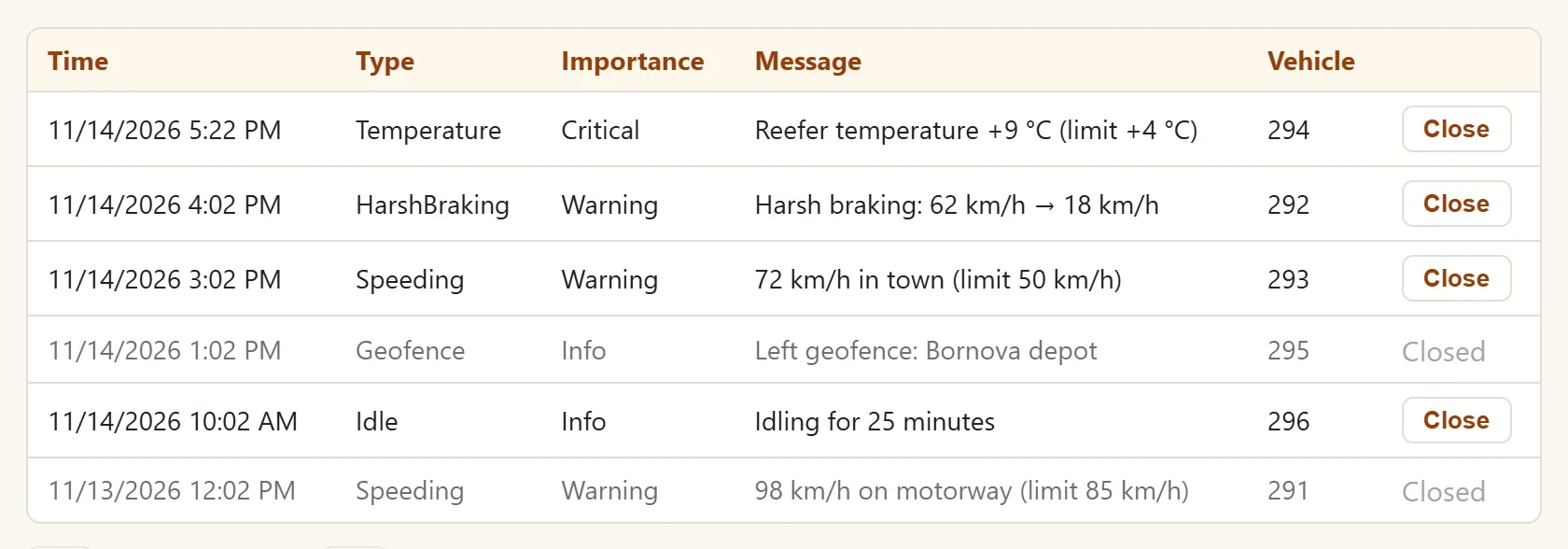
- 111/14/2026 1:02 PM Geofence Info Left geofence:… A closed alert is dimmed and shows «Closed».
Step by step: closing an alert
- Review the alert; if needed, talk to the driver or open a work order on the Operation screen.
- Press Close in the row. The alert is closed and the «Open warning» count on the Overview drops.
Closing asks no confirmation and cannot be undone; a closed alert cannot be reopened.
Common messages
| Message | Cause | Solution |
|---|---|---|
| No alerts — no telemetry violations recorded. | No alert matches the filter. | Untick «Only open warnings» and press Reload. |